Fastlane (1) 설치 및 테스트

👋 들어가기 전
iOS 프로젝트의 CI/CD를 도와주는 대표적인 tool인 Fastlane의 사용법을
이번 포스팅부터 차례대로 알아보자.
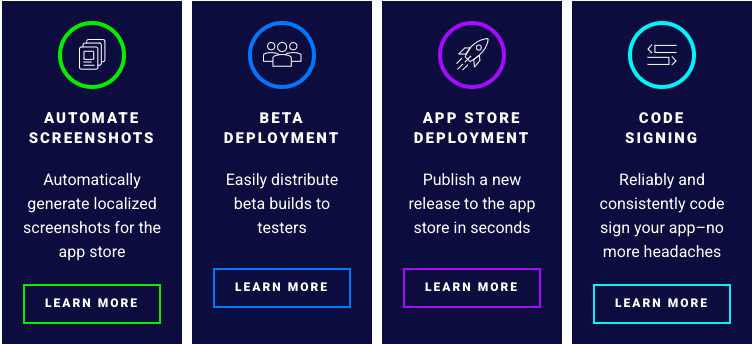
Fastlane의 위와 같은 대표적인 기능을 재공한다고한다.
- 자동 스크린샷
- 베타 배포
- 자동 배포
- 코드 사이닝
이번 포스팅은 설치와 간단한 테스트팅 기능을 이용해보자.
✊ 세팅
설치
brew install fastlane # 설치

fastlane env # 버전 및 환경설정 확인
초기화
fastlane init
초기화가 끝나면 아래와 같이 fastlane/ 폴더안에 2개의 파일이 생긴다.

Appfile
공통 설정을 명시하는 파일
- 애플 개발 계정
- 앱 ID
- 팀 ID
- ...
Fastfile
CI / CD 파이프라인을 정의하는 핵심파일
- 빌드
- 테스트
- 배포
- ...
🧪 테스트
이전에 gitAction으로 작성했던걸 그대로 옮겨보자.
# test.yml
name: Test-CI

on:
  # Define Action Event
  push:
    branches: [ main ]
  pull_request:
    branches: [ main ]

jobs:
  build:
    runs-on: macos-15
    steps:
     - uses: actions/checkout@v4

     - name: start test
       run: |
            run: |
            echo "Start Xcode Build"
            xcodebuild clean \
            -project CI-CD-Practice.xcodeproj \
            -scheme CI-CD-Practice \
            -destination 'platform=iOS Simulator,name=iPhone 16,OS=18.0' \
            test
# Fastfile

default_platform(:ios)

platform :ios do
  desc "tests lane"
  lane :tests do # name of lane
    run_tests(
      devices: ["iPhone 16"],
      scheme: "CI-CD-Practice-Test")
  end
end
이렇게 test관련 lane을 만들고 아래 명령어 입력하면 끝
fastlane tests출처
Running Tests - fastlane docs
New to fastlane? Click here to open the installation & setup instructions first xcode-select --install # Using RubyGems sudo gem install fastlane -NV # Alternatively using Homebrew brew install fastlane fastlane init More Details Running iOS tests using fa
docs.fastlane.tools
scan - fastlane docs
Returns Outputs hash of results with the following keys: :number_of_tests, :number_of_failures, :number_of_retries, :number_of_tests_excluding_retries, :number_of_failures_excluding_retries
docs.fastlane.tools