[Instruments 맛보기] Swift Concurrency 시각화 및 최적화하기

🏁 학습할 내용
- 예제 코드의 문제 파악하기
- Instruments 보며, 원인 프로파일링
- 예제를 통한 코드 개선해보기
😂 예제코드
@MainActor
class CompressionState: ObservableObject {
    @Published var files: [FileStatus] = []
    var logs: [String] = []

    func update(url: URL, progress: Double) {
        if let loc = files.firstIndex(where: {$0.url == url}) {
            files[loc].progress = progress
        }
    }

    func update(url: URL, uncompressedSize: Int) {
        if let loc = files.firstIndex(where: {$0.url == url}) {
            files[loc].uncompressedSize = uncompressedSize
        }
    }

    func update(url: URL, compressedSize: Int) {
        if let loc = files.firstIndex(where: {$0.url == url}) {
            files[loc].compressedSize = compressedSize
        }
    }

    func compressAllFiles() {
        for file in files {
            Task {
                let compressedData = compressFile(url: file.url)
                await save(compressedData, to: file.url)
            }
        }
    }

    func compressFile(url: URL) -> Data {
        log(update: "Starting for \(url)")
        let compressedData = CompressionUtils.compressDataInFile(at: url) { uncompressedSize in
            update(url: url, uncompressedSize: uncompressedSize)
        } progressNotification: { progress in
            update(url: url, progress: progress)
            log(update: "Progress for \(url): \(progress)")
        } finalNotificaton: { compressedSize in
            update(url: url, compressedSize: compressedSize)
        }
        log(update: "Ending for \(url)")
        return compressedData
    }

    func log(update: String) {
        logs.append(update)
    }
- mutable 값을 업데이트하는 함수
- 압축하는 함수
- 로깅하는 함수
현재 위 코드는 앱이 장시간 멈춰있는 상태
🧰 Instruments 보며, 원인 프로파일링
🔎 알 수있는 정보들
트랙뷰
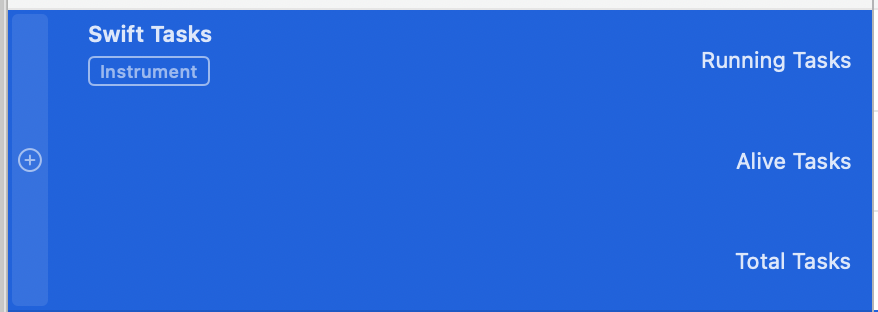
- 동시에 실행중인 Task
- 특정 시점에 살아있는 Task
- 해당 시점까지 생성된 총 작업 수
디테일 뷰 종류

- Task Forest
- 구조화된 동시성 코드에서 작업 간의 부모-자식 관계를 그래픽으로 보여준다.
- Summary
- 각 Task의 작업의 상태와 소비 시간을 보여준다.
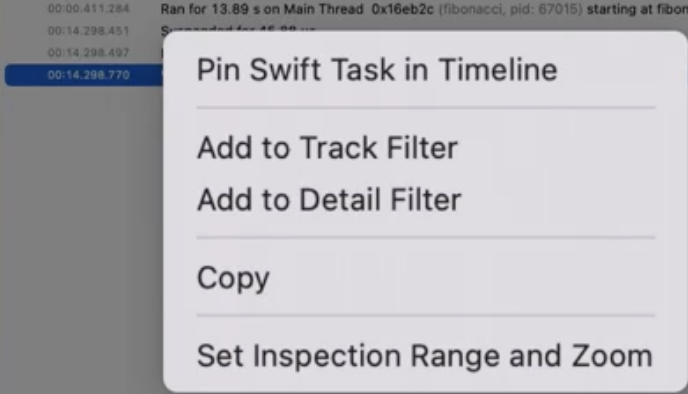
- 오른쪽 클릭 옵션으로 보게되면, 선택한 Task에 대한 모든 정보가 포함된 트랙을 타임라인에 고정가능

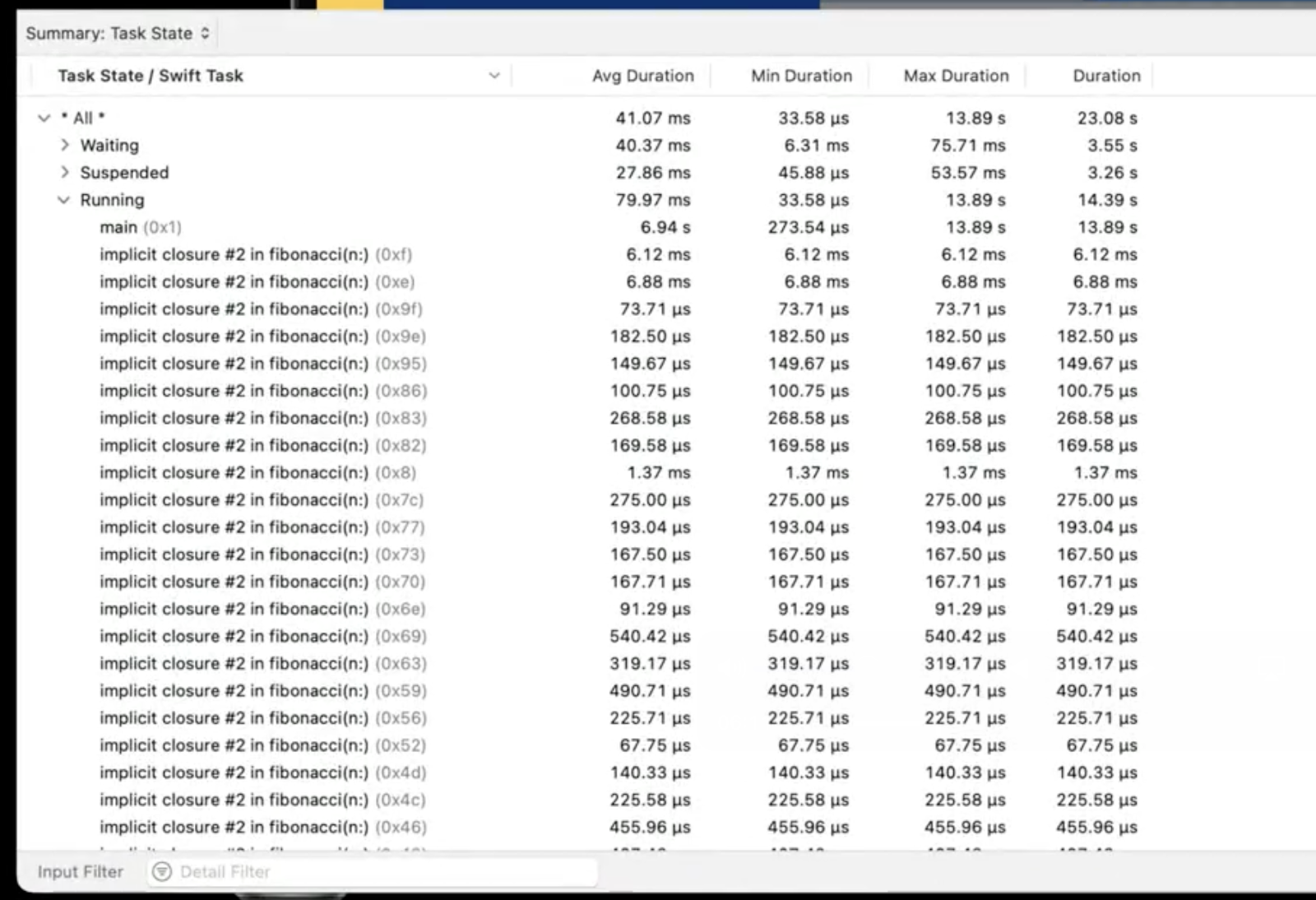
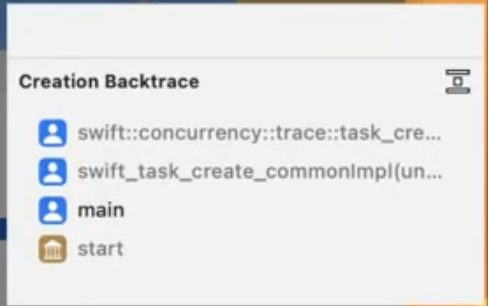
Summary를 통해 특정 Task에 대해 고정하게 되면 다음과 같은 4개의 화면을 볼 수 있다.
- Task를 볼 수 있는 트랙뷰
- Task의 백트레이스를 볼 수 있는 확장된 상세뷰
- Task의 상태에 대한 자세한 정보를 제공하는 Narrative 뷰
- Summary와 마찬기지로 Narrative 뷰애서 오른쪽 클릭으로 고정할 수 있는 기능 (자식 작업, 스레드, 엑터)등을 타임라인에 고정


🧐 원인 분석하기
1. UI Hang이 분명히 발생하고 있다.

2. Task가 1개만 실행되고 있다. (강제 직렬화가 확인됐다는 뜻)
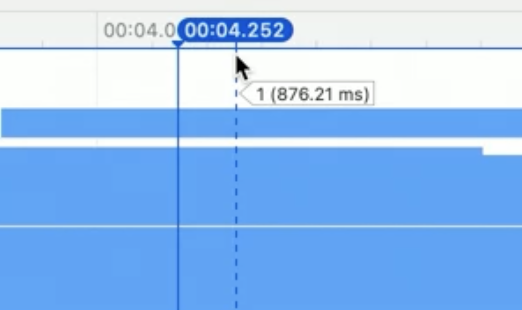
3. 백그라운드에서 짧고, 메인스레드에서 너무 긴 시간을 보냄

4. 메인 스레드에 여러개의 장기 Task에 의해 차단되어있음

5. 무슨 작업인지 보기위해 closure 심볼에서 Open in Soruce Viwer를 통해, 소스코드로 이동

6. 원인 발견 @Published 속성떄문에 @MainActor로 격리되야함, 근데 압축이라는 무거운 작업도
@MainAcotr에 격리됨

🔨 UI Hang 개선하기
💡접근법
현재 다음과 같이 2가지 변수가 @MainActor에 격리되있음
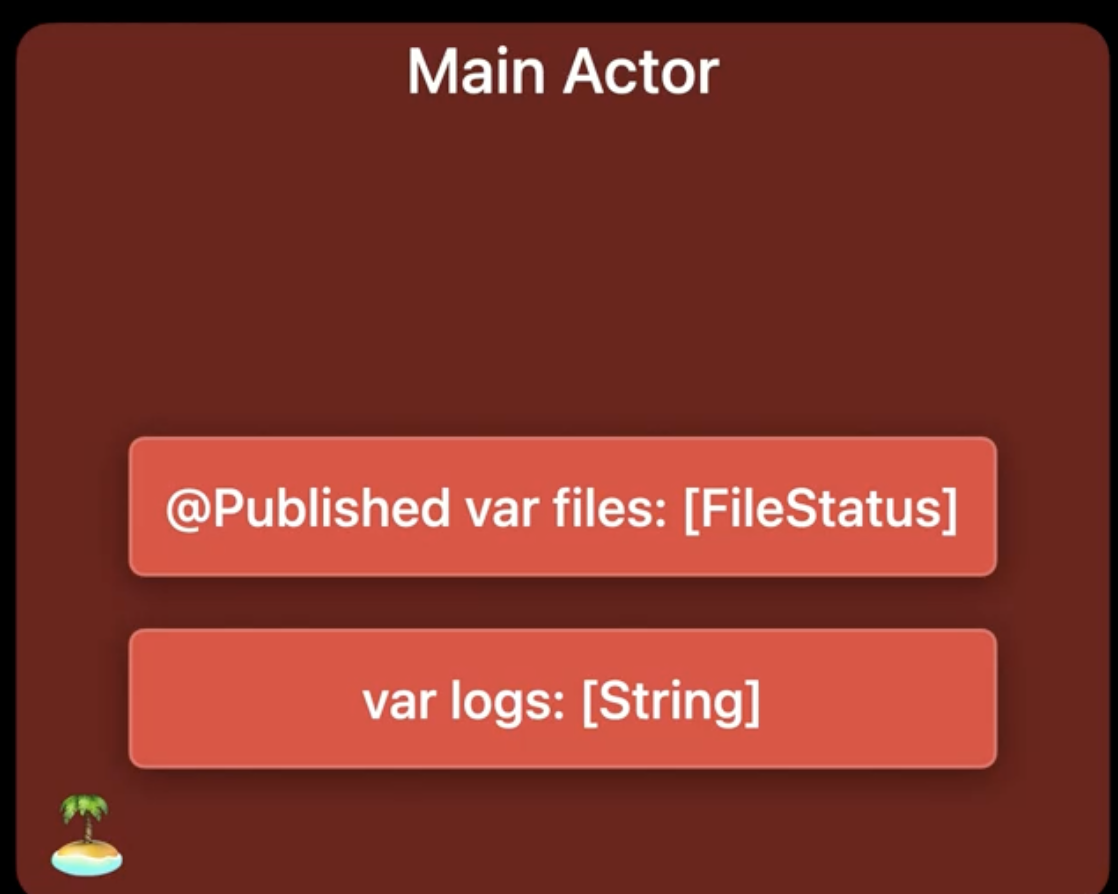
@Published는 UI와 관련이 있어 @MainActor 격리가 맞다.
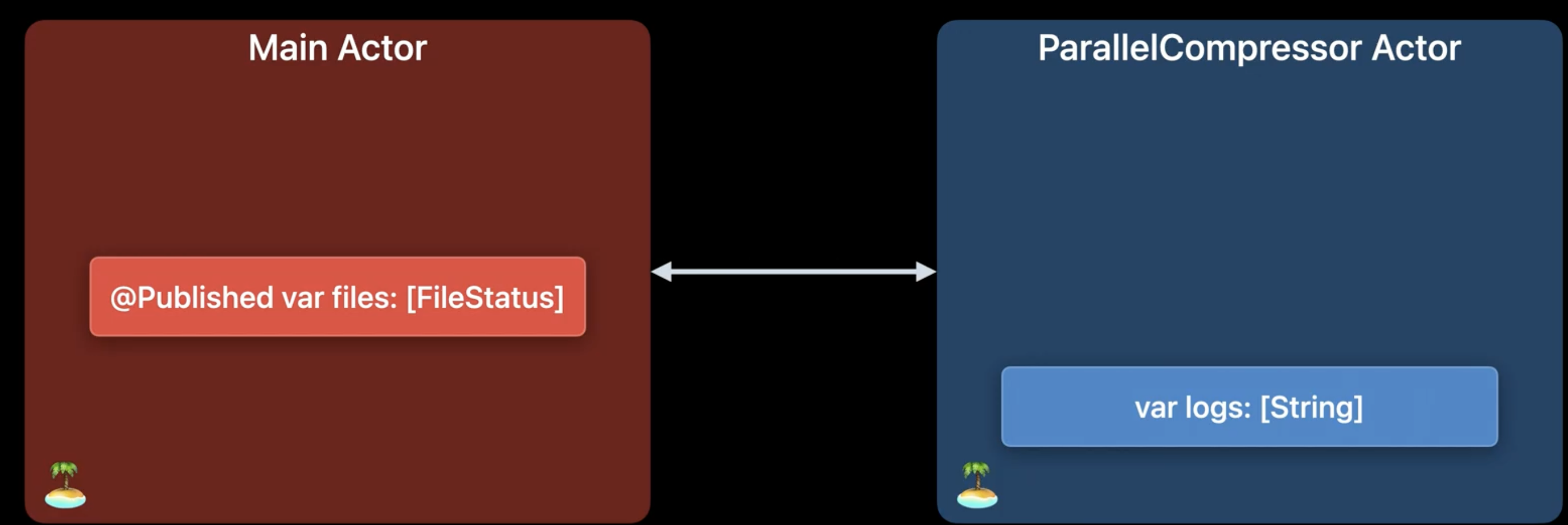
하지만 logs는 @MainAcotr일 필요가 없고, 마찬가지로 가변 데이터이므로 동시접근에 보호되야함
즉, 별도의 Actor로 격리
🧑💻 개선 코드
actor ParallelCompressor {
    var logs: [String] = []
    unowned let status: CompressionState

    init(status: CompressionState) {
        self.status = status
    }

    func compressFile(url: URL) -> Data {
        log(update: "Starting for \(url)")
        let compressedData = CompressionUtils.compressDataInFile(at: url) { uncompressedSize in
            Task { @MainActor in
                status.update(url: url, uncompressedSize: uncompressedSize)
            }
        } progressNotification: { progress in
            Task { @MainActor in
                status.update(url: url, progress: progress)
                await log(update: "Progress for \(url): \(progress)")
            }
        } finalNotificaton: { compressedSize in
            Task { @MainActor in
                status.update(url: url, compressedSize: compressedSize)
            }
        }
        log(update: "Ending for \(url)")
        return compressedData
    }

    func log(update: String) {
        logs.append(update)
    }
}

@MainActor
class CompressionState: ObservableObject {
    @Published var files: [FileStatus] = []
    var compressor: ParallelCompressor!

    init() {
        self.compressor = ParallelCompressor(status: self)
    }

    func update(url: URL, progress: Double) {
        if let loc = files.firstIndex(where: {$0.url == url}) {
            files[loc].progress = progress
        }
    }

    func update(url: URL, uncompressedSize: Int) {
        if let loc = files.firstIndex(where: {$0.url == url}) {
            files[loc].uncompressedSize = uncompressedSize
        }
    }

    func update(url: URL, compressedSize: Int) {
        if let loc = files.firstIndex(where: {$0.url == url}) {
            files[loc].compressedSize = compressedSize
        }
    }

    func compressAllFiles() {
        for file in files {
            Task {
                let compressedData = await compressor.compressFile(url: file.url)
                await save(compressedData, to: file.url)
            }
        }
    }
}
✅ 결과
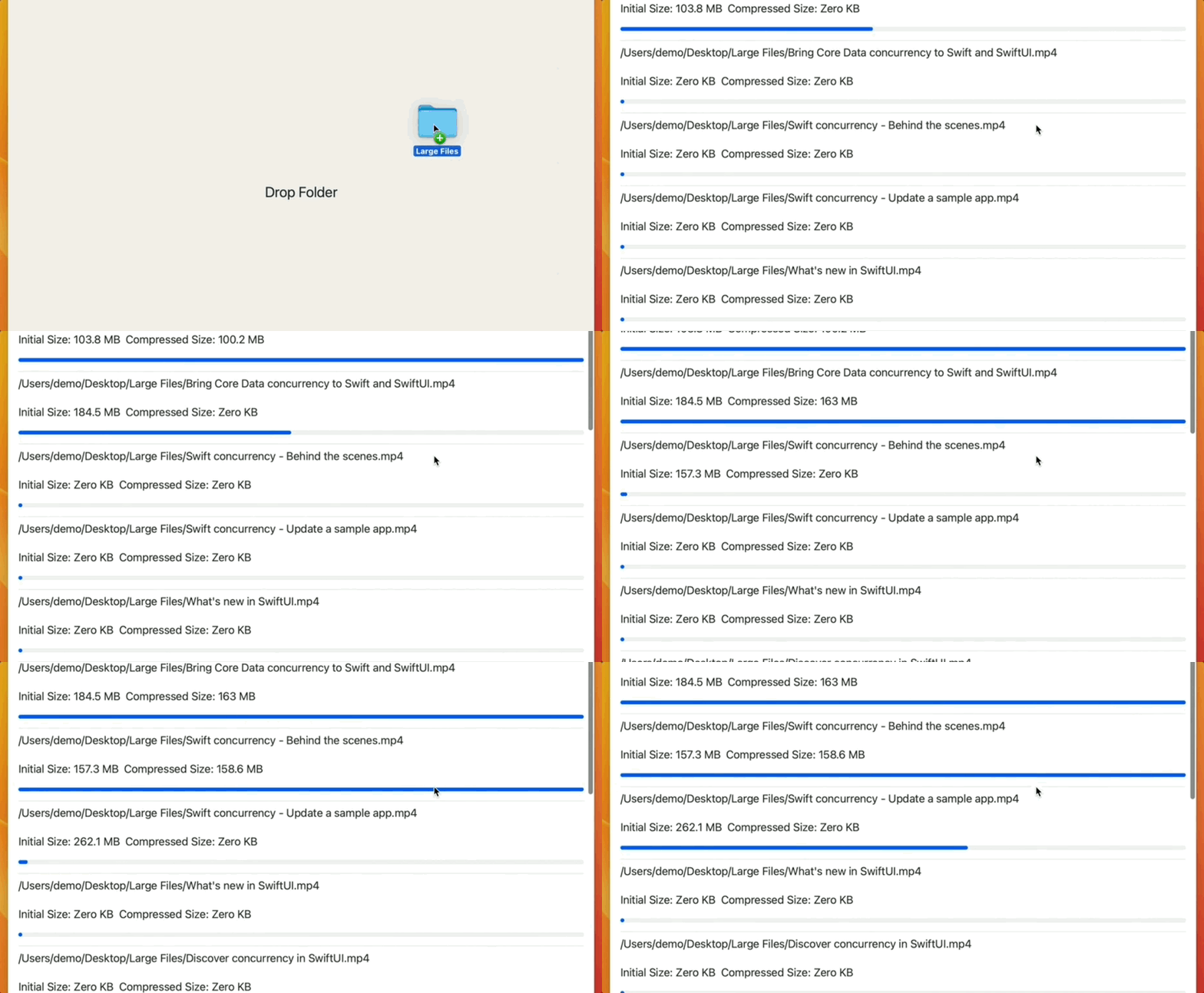
UI Hang은 사라졌지만, 우리가 원하는 속도가 아니다.
병렬적인 실행이 아니라, 순차적으로 실행되고 있다.
이제 이 부분을 개선해보자.
🧨 속도 폭발 시키기
먼저, 이전 UI 행 개선후 발생하는 순차적으로 실행되는 원인을 파악해보자.
엑터는 여러 Task의 공유 상태 조작을 직렬화한다.
그렇기 떄문에, 한번에 하나의 Task만 Actor를 점유할 수 있으므로, 나머지 Task는 대기하게된다.
작업간의 공유되는 Actor에서 많은 양의 작업을 수행하면, Concurreny의 장점인 병렬 계산의 이점을 잃게된다.
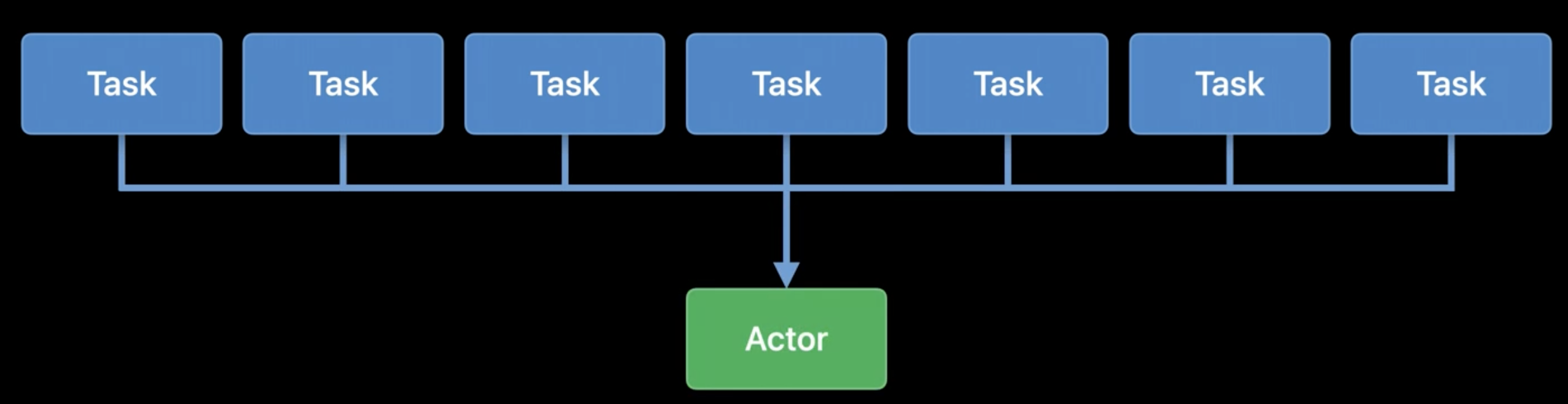

이상적으로 TaskGroup과 async let과 같은 구조적 동시성을 사용하면, 이상적으로는
여러 CPU 코어를 동시에 사용할 수 있다.
엑터 데이터에 대한 단독 접근 권한이 필요할 때만 엑터에서 실행되고, 나머지는 엑터에서 분리되어
병렬로 실행할 수 있게 만들어야한다.
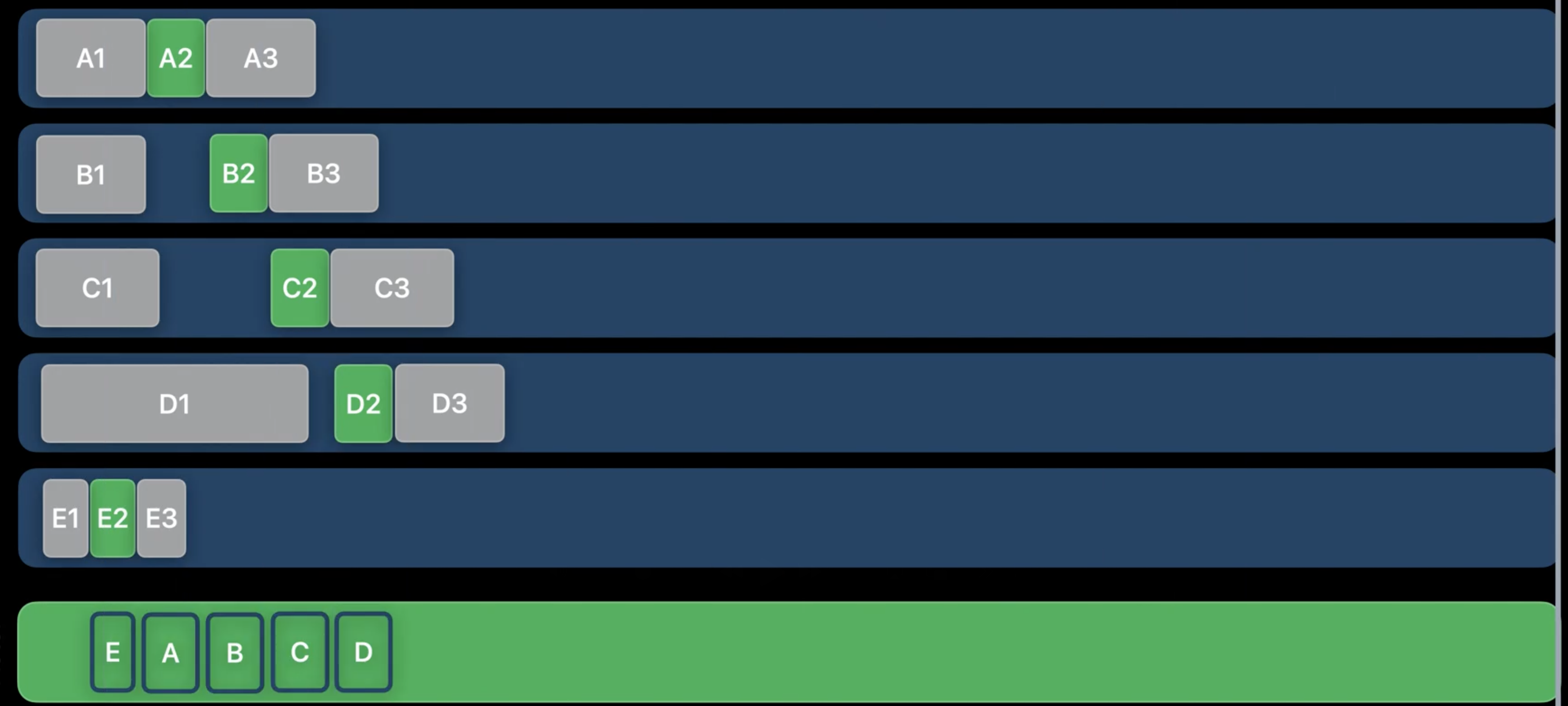
Task는 필요한 기간동안만 Actor에 남아 있어야하지만, ParallelCompressor Actor에 오래 접근하는 Task가 확인된다.

compressAllFile은 ParallelCompressor Actor의 일부이므로, 함수 전체는 Actor에서 이루어지며, 다른 모든 작업은
차단됨, 그래서 compressFile 함수를 Actor 격리에서 분리하면 좋을 것 같음

문제가 됐던 compressFile 함수를 기본적으로 Thread Pool에서 실행되게 한후,
UI 업데이트가 되야할 때는 MainActor로, 로깅 작업을 할 때는 ParallelCompressor Actor로 격리 시킨다.


우리는 구현을 위해 Task.detach와 nonisolated를 사용
🧑💻 개선 코드
actor ParallelCompressor {
    var logs: [String] = []
    unowned let status: CompressionState

    init(status: CompressionState) {
        self.status = status
    }

    nonisolated func compressFile(url: URL) async -> Data {
        await log(update: "Starting for \(url)")
        let compressedData = CompressionUtils.compressDataInFile(at: url) { uncompressedSize in
            Task { @MainActor in
                status.update(url: url, uncompressedSize: uncompressedSize)
            }
        } progressNotification: { progress in
            Task { @MainActor in
                status.update(url: url, progress: progress)
                await log(update: "Progress for \(url): \(progress)")
            }
        } finalNotificaton: { compressedSize in
            Task { @MainActor in
                status.update(url: url, compressedSize: compressedSize)
            }
        }
        await log(update: "Ending for \(url)")
        return compressedData
    }

    func log(update: String) {
        logs.append(update)
    }
}

@MainActor
class CompressionState: ObservableObject {
    @Published var files: [FileStatus] = []
    var compressor: ParallelCompressor!

    init() {
        self.compressor = ParallelCompressor(status: self)
    }

    func update(url: URL, progress: Double) {
        if let loc = files.firstIndex(where: {$0.url == url}) {
            files[loc].progress = progress
        }
    }

    func update(url: URL, uncompressedSize: Int) {
        if let loc = files.firstIndex(where: {$0.url == url}) {
            files[loc].uncompressedSize = uncompressedSize
        }
    }

    func update(url: URL, compressedSize: Int) {
        if let loc = files.firstIndex(where: {$0.url == url}) {
            files[loc].compressedSize = compressedSize
        }
    }

    func compressAllFiles() {
        for file in files {
            Task.detached {
                let compressedData = await self.compressor.compressFile(url: file.url)
                await save(compressedData, to: file.url)
            }
        }
    }
}
✅ 결과
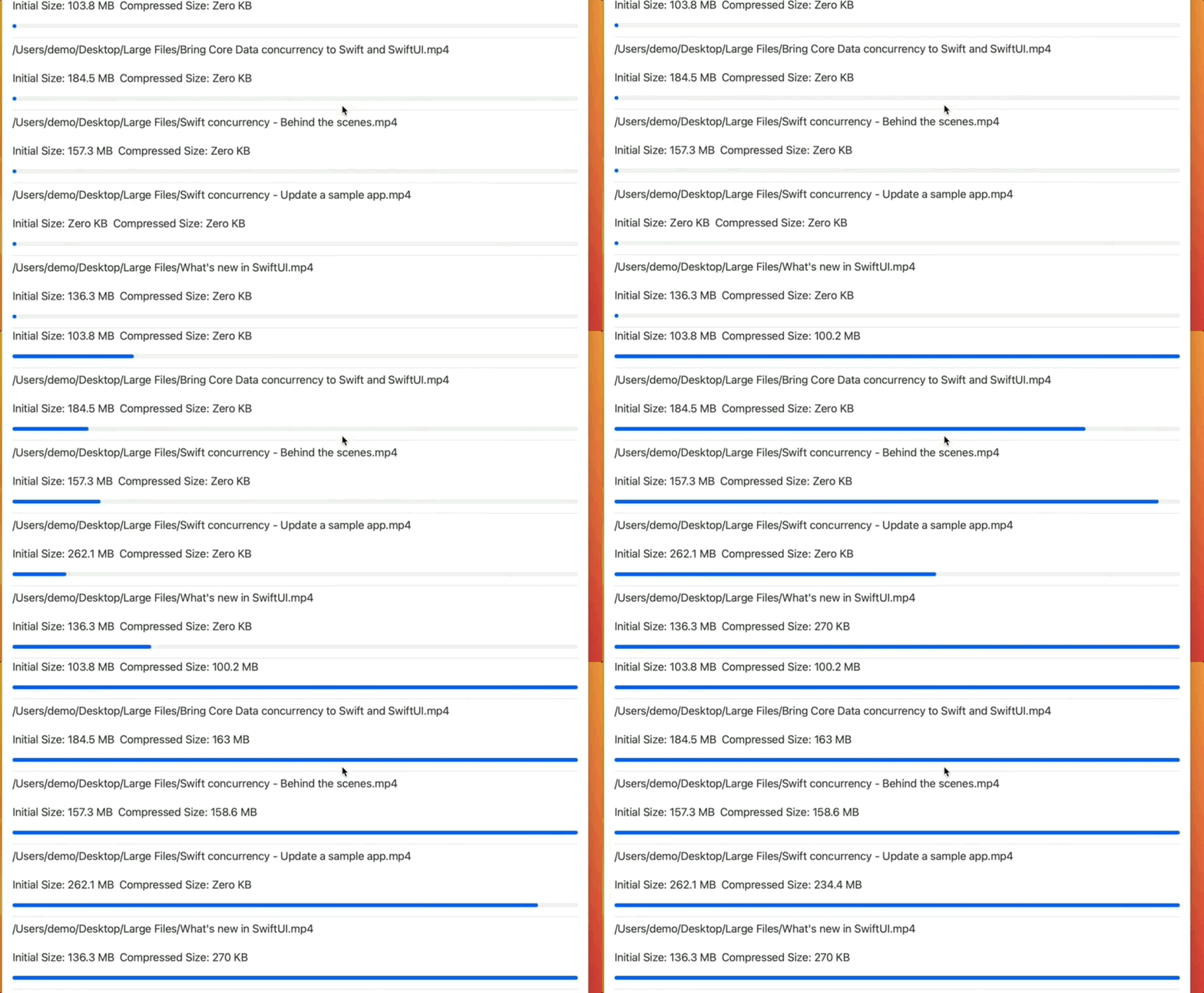
Actor에서는 정말 필요할 때만 실행되므로 짧은 시간만 접근, 대기열 큐 역시 절대 과도하지 않음

병렬적인 UI 응답이 내려옴
출처
https://developer.apple.com/videos/play/wwdc2022/110350/
Visualize and optimize Swift concurrency - WWDC22 - Videos - Apple Developer
Learn how you can optimize your app with the Swift Concurrency template in Instruments. We'll discuss common performance issues and show...
developer.apple.com