반응형
🏁 학습할 내용
- scrollDismissesKeyboard
⌨️ scrollDismissesKeyboard
사진을 먼저 보고 특성을 한번 알아보자.
왼쪽부터, automatic, immediately, interactively

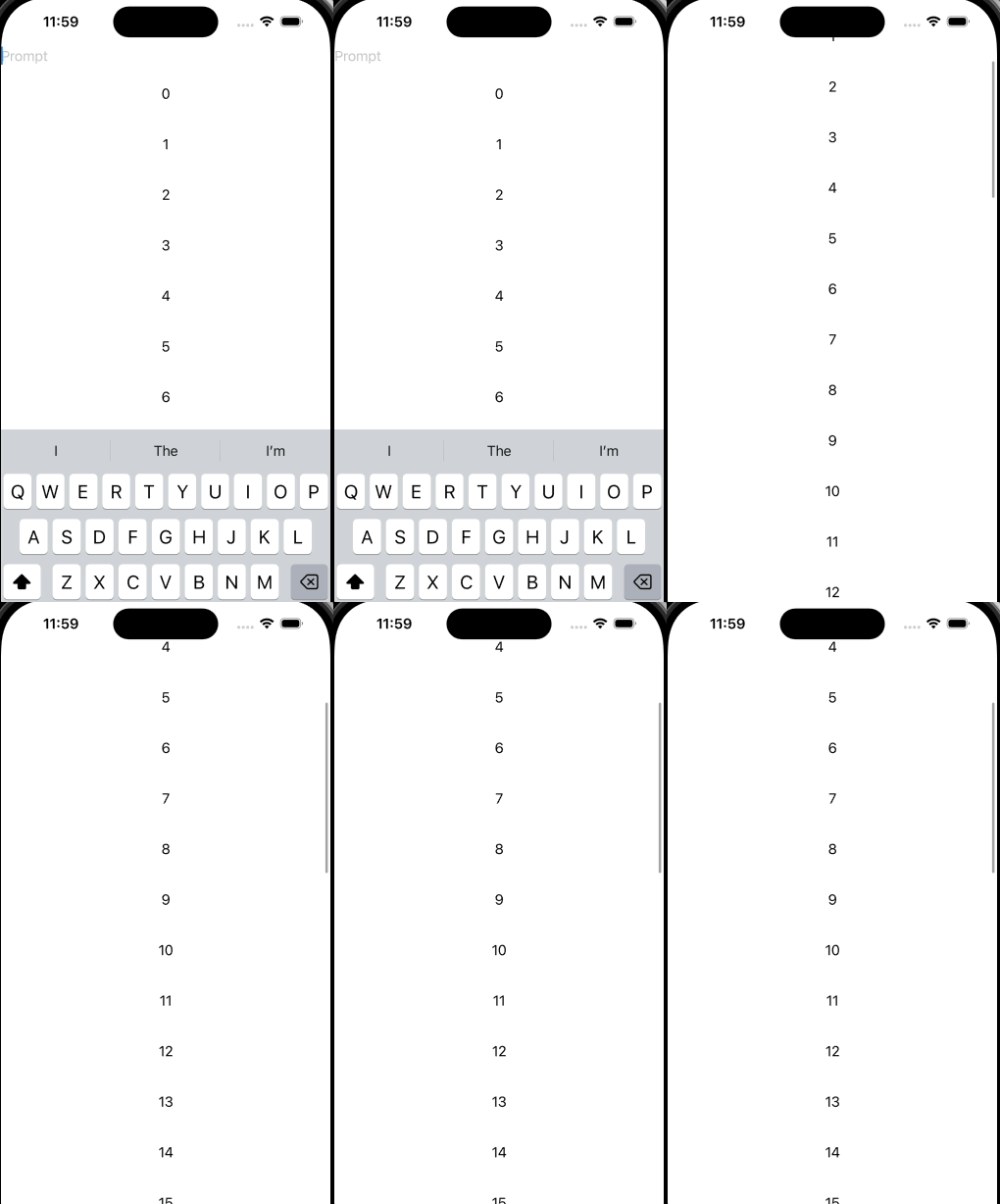
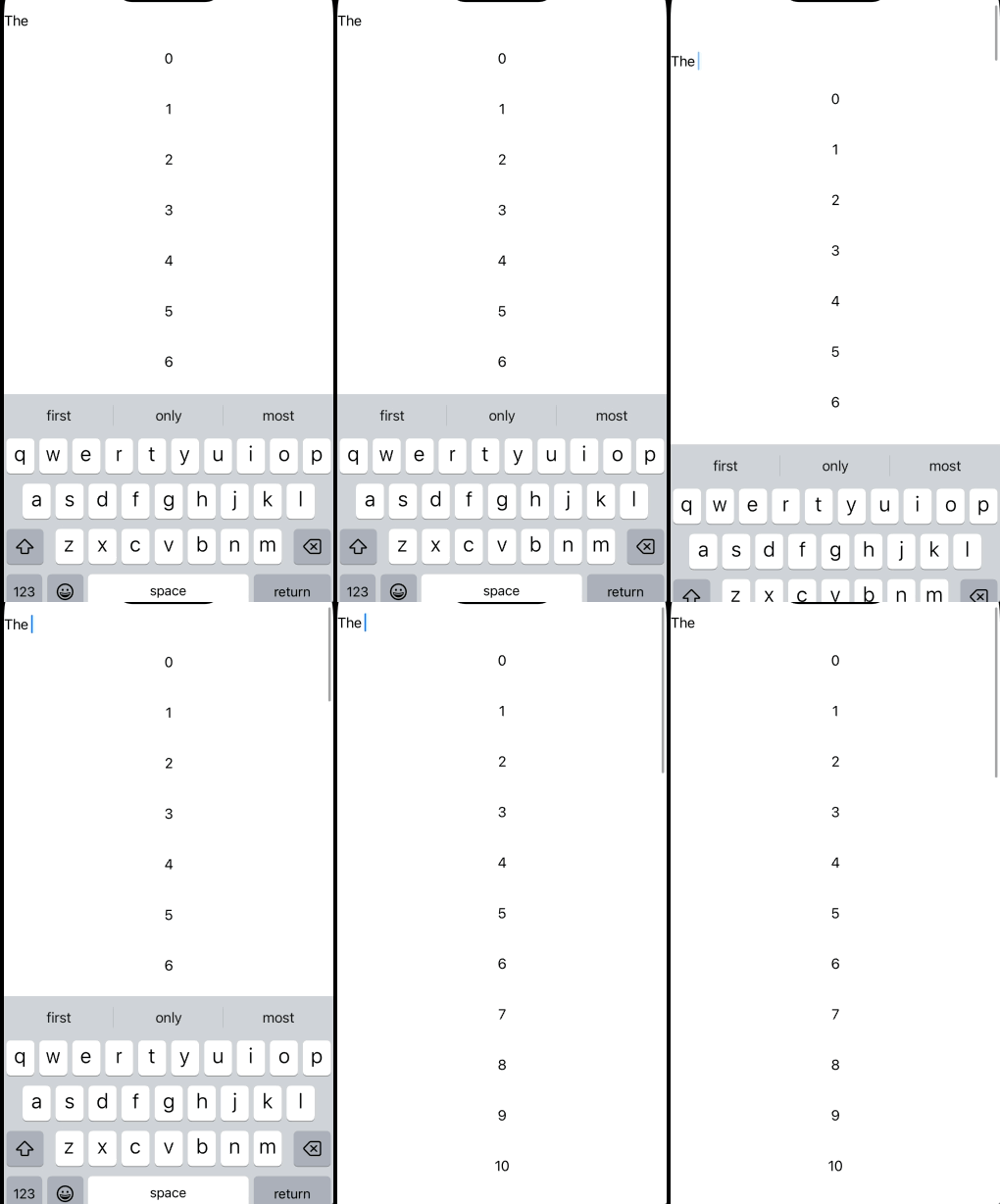
1. .automatic
- 시스템이 상황에 따라 적절히 판단해 키보드를 숨김
- 일반적으로 스크롤 제스처가 키보드 영역에 닿을 때 키보드가 내려감
2. .immediately
- 스크롤이 시작되는 즉시 키보드를 숨깁
- 메시지 앱처럼, 키보드가 열려 있다가 스크롤하면 바로 닫히는 UI에 적합
3. .interactively
- 스크롤과 함께 키보드가 같이 내려감
- 스크롤 부분과 키보드가 겹치는 부분에서 동작하는 듯
- 채팅 앱이나 노트 앱에서 자연스러운 전환을 원할 때
4. .never
- 스크롤해도 키보드가 자동으로 내려가지 않음
- 키보드를 닫으려면 사용자가 직접 닫아야 함
출처
https://developer.apple.com/documentation/swiftui/view/scrolldismisseskeyboard(_:)
scrollDismissesKeyboard(_:) | Apple Developer Documentation
Configures the behavior in which scrollable content interacts with the software keyboard.
developer.apple.com
반응형
'iOS > SwiftUI' 카테고리의 다른 글
| TextField 커스텀 PlaceHolder 넣기 (0) | 2025.08.28 |
|---|---|
| keyboard 내리기 (2) | 2025.08.15 |
| TextEditor에 placeHolder 보여주기 (3) | 2025.08.14 |
| [ThirdParty] SwiftUI-Shimmer 해석하기 (3) | 2025.07.27 |
| RedactionReasons (1) | 2025.07.27 |