반응형
⬇ SwiftUI에서 키보드 내리기
✅ 원리
부스트캠프 때, 썼던 https://hamp.tistory.com/78 살펴보면
UITextField와 UITextView등 키보드 입력이 필요한 UI컴포넌트가 window의 firstResponder가 됐을 때,
시스템은 자동으로 키보들르 보여준다.
그렇다면 반대로, firstResponder를 해제해주면 키보드는 내려간다는 의미
🚀 실제 사용
익숙한 경험으로는 키보드 입력 도중, 키보드 입력이 필요없는 공간을 누르면, keyboard가 자연스럽게 내려간다.
즉, Tap 이벤트 + resignFirstResponder의 조합으로 만들 수 있다는 뜻
import SwiftUI

public extension View {
  func registerKeyboardResign() -> some View {
    self.onTapGesture {
      UIApplication.shared.sendAction(#selector(UIResponder.resignFirstResponder), to: nil, from: nil, for: nil)
    }
  }
}
🧐 코드 분석
UIApplication.shared.sendAction(
    #selector(UIResponder.resignFirstResponder), // 실행할 메서드
    to: nil, // 액션을 보낼 대상 객체
    from: nil, // 보낸 주체
    for: nil // 보낼 이벤트
)- to: nil이면 → UIKit이 Responder Chain을 타고 이 셀렉터를 처리할 수 있는 객체를 찾음
- from: nil이면 특별한 보낸 주체가 없다
- for: 이벤트 없이 단순 호출
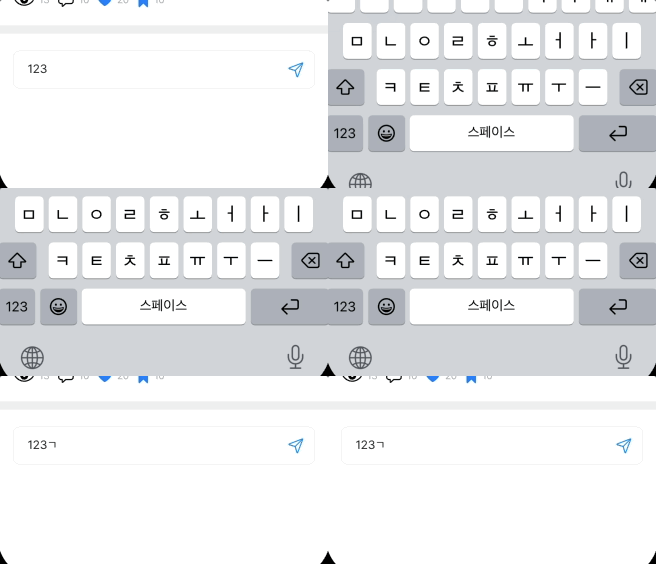
🧪 결과
출처
반응형
'iOS > SwiftUI' 카테고리의 다른 글
| TextField에서 자동 포맷적용하기 (0) | 2025.08.28 |
|---|---|
| TextField 커스텀 PlaceHolder 넣기 (0) | 2025.08.28 |
| 스크롤 할 떄, keyboard 자연스럽게 내리기 (2) | 2025.08.15 |
| TextEditor에 placeHolder 보여주기 (3) | 2025.08.14 |
| [ThirdParty] SwiftUI-Shimmer 해석하기 (3) | 2025.07.27 |