반응형

🏁 학습할 내용
- promt 파라미터
- 커스텀 플레이스홀더
🐳 prompt란
🎯 역할

간단하게 요약하면, 입력되야할 내용에 대한 guide 즉, placeHolder 역할을 한다고 한다.
✅ 커스텀 플레이스홀더
실제 내용과 다른 폰트 다른 색깔을 적용하고 싶다면, prompts를 이용하면된다.
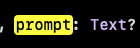
중요한점은 반드시 Text여야함, some View 형태로 들어가면 안됨!
여기서, 재밌었던 점은 포커싱 됐을 때, 깜빡거리는 커서의 크기는 content의 크기를 따라간다는 점
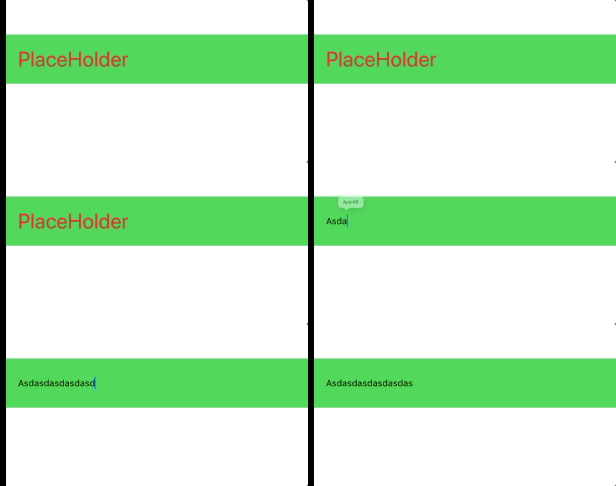
    VStack {
      TextField("", text: $text, prompt: Text("PlaceHolder").foregroundStyle(.red).font(.title))
        .font(.caption)
        .padding(.vertical)
        .padding(.horizontal)
        .background(.green)
    }
출처
https://developer.apple.com/documentation/swiftui/textfield
TextField | Apple Developer Documentation
A control that displays an editable text interface.
developer.apple.com
반응형
'iOS > SwiftUI' 카테고리의 다른 글
| List 사용하다 불편한 내용 정리 (0) | 2025.09.27 |
|---|---|
| TextField에서 자동 포맷적용하기 (0) | 2025.08.28 |
| keyboard 내리기 (2) | 2025.08.15 |
| 스크롤 할 떄, keyboard 자연스럽게 내리기 (2) | 2025.08.15 |
| TextEditor에 placeHolder 보여주기 (3) | 2025.08.14 |